

The Google Wallet Partner Programme, Accurately Described
 By the Kemicard team
There is a lot written about the Google Wallet Partner Programme, and much of it states requirements that Google does not actually publish. This is what the programme is according to Google's own documentation, what the tiers mean, and — more usefully for most readers — whether you need a partner at all.
What Google actually says
The programme has two tiers. Google's description of each is short, and worth quoting rather than paraphrasing:
- Google Wallet Partner — "third-party companies dedicated to supporting merchants in integrating and optimizing Google Wallet solutions."
- Google Wallet Premier Partner — "distinguished by their exceptional expertise, proven track record of large-scale implementations, and deep commitment to driving innovation."
Google lists four benefits: enhanced credibility, visibility in the partner directory with official badges, growth opportunities through new business leads, and early access to upcoming features, product roadmaps and beta programmes.
Applications go to Google by email, and Google states it will contact selected applicants "to discuss requirements for Premier Partner and Partner Status in detail."
The requirements are not public
This is the part most articles on the subject get wrong. You will read confident claims about specific thresholds — a stated number of API calls per day, minimum adoption rates, a required deployment count. None of those figures appear in Google's published material.
What Google does say is that Premier status reflects large-scale implementation experience and demonstrated expertise, and that the specifics are discussed directly with applicants. If a vendor quotes you a precise bar they had to clear, ask where it is published.
Partner status is not required to issue passes
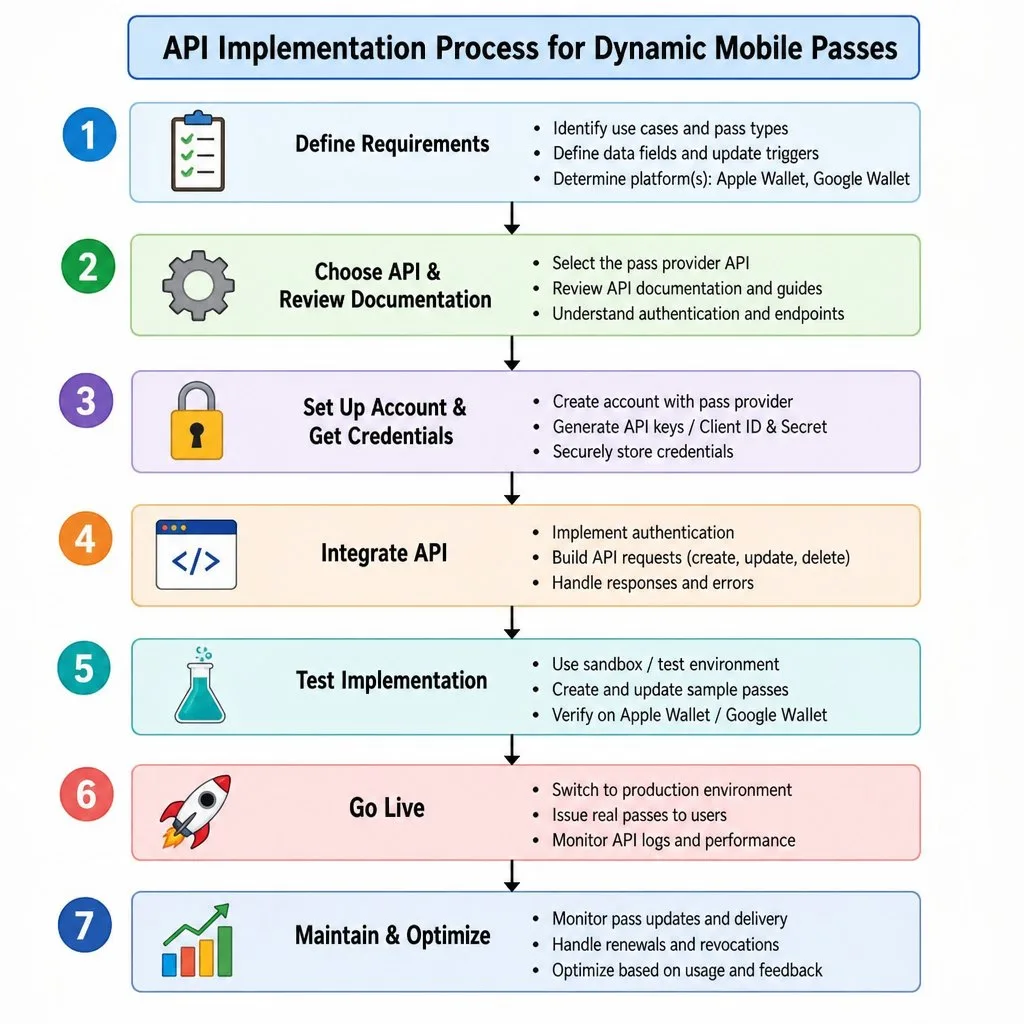
Worth stating plainly, because the framing of most partner-programme content implies otherwise: you do not need to be a partner to issue Google Wallet passes. Any business can register an issuer account through the Google Pay & Wallet Console and build against the public APIs.
Two practical notes on that route:
- New issuer accounts start in demo mode. You can create and test passes, but issuance is limited to specific users until publishing access is granted through the Google Wallet API dashboard. Teams routinely discover this the week before launch.
- Creating issuer accounts programmatically is restricted to trusted aggregators. If your model involves spinning up an issuer per client, that constraint shapes your architecture and is worth knowing on day one.
What the partner tier is actually for
The programme is aimed at companies that implement Wallet for other businesses — agencies, platforms and ISVs — rather than at a retailer issuing its own loyalty card. If you are a merchant, the relevant question is not whether to become a partner but whether your vendor's expertise is real.
Directory listing and badges are the visible part. Early access to roadmaps and betas is the part that actually affects a customer, because it determines whether your vendor finds out about a platform change before or after it reaches your users.
What to ask a vendor
More useful than a badge check:
- Do you handle both platforms from one template? Google Wallet expertise alone leaves half your audience on iOS.
- How do you handle pass updates after issuance? This is where implementations diverge in quality, and it is the whole value of a pass over a PDF.
- What happens to my data? Whether records are copied into a vendor system or the pass renders from your own is an architectural question with security consequences.
- Do you support Smart Tap? NFC redemption needs certification and terminal support — relevant if you have physical points of sale, irrelevant if you scan QR codes.
- Who owns the issuer account? If the vendor owns it, migrating away later is considerably harder.

Smart Tap, briefly
Smart Tap lets a pass convey data by tapping an Android device against an NFC terminal — loyalty identifiers, ticket details, transit balances. It is genuinely faster than scanning and it requires compatible terminal hardware and certification.
The honest guidance is the same as elsewhere on this site: QR is universally compatible and cheap to deploy; NFC is faster where you control the hardware. Most organisations should start with QR and add NFC where the volume justifies it.
Where Kemicard sits
Kemicard issues to both Apple Wallet and Google Wallet from the Salesforce record you already maintain, and is distributed on the Salesforce AppExchange. The pass renders from your data rather than from a copy of it held elsewhere.
For the platform differences that genuinely matter when you design a pass, see Apple Wallet vs Google Wallet and designing a Google Wallet pass. For the mechanics, see how it works.
FAQ
- Do I need a partner to issue passes? No. Any business can register an issuer account and use the public APIs.
- What are the two tiers? Google Wallet Partner and Google Wallet Premier Partner.
- How do you apply? By email to Google; selected applicants are then contacted to discuss requirements.
- Are the Premier requirements published? No. Treat any specific threshold you read elsewhere with caution.
- Why is my new issuer account limited? New accounts begin in demo mode until publishing access is enabled.
Sources: Google's Become a partner and issuer onboarding documentation.
Explore Kemicard
Product & solutions
Issue to Both Wallets From Salesforce
Book a demo, test drive Kemicard, or start a free 30-day trial.
 Start Free Trial