Kemicard ships on a regular release cadence, most recently v2.30 in October 2026, which introduced Kemicard Connect. Upgrades install as new managed package versions from the AppExchange; we proactively notify customers affected by fixes.
Kemicard Connect sends passes and messages to the people in a Salesforce report, now or on a schedule. Template Studio checks your pass before you send it and shows exactly when passes expire. Google passes get tappable links, the Console watches your Kemicard connection for you, and more Google Wallet barcode formats work.
- Kemicard Connect (replaces Campaign Manager) — send passes (Invite), push messages (Notify) or both to everyone in a Salesforce report: right away, once at a set time, or daily, weekly or monthly in the timezone you choose, ending on a date or after a number of runs. A calendar marks every day with a send; Execution Progress & Results shows each run's successes and failures, the generated passes, and errors you can copy. Pause, resume or cancel a series. Kemicard Connect guide.
- Connect Scheduler — on by default; Console › Connect Scheduler shows its status and next send, with Stop and Start for the whole org. An hourly check restarts it if a run is ever missed.
- Built for large sends — passes are generated in batches of 10, failed records are logged per run, and recipient reports are read through the Reports API (orgs with step-up authentication supported, up to 50,000 rows). Notify sends only to recipients who already have a pass.
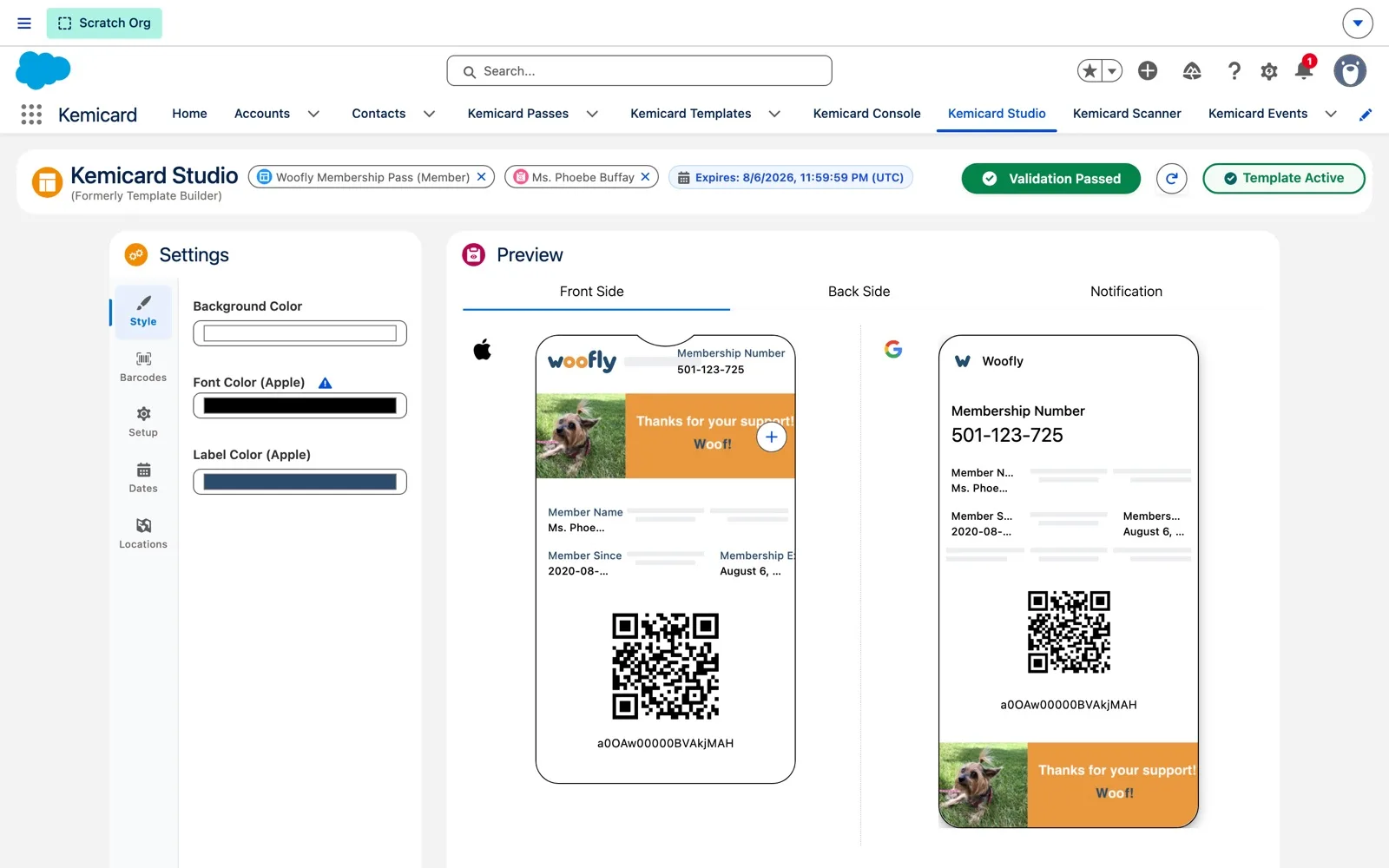
- Validation Report in Studio — a header button reads Validation Passed or shows a count such as 0 Errors, 1 Warning; the report lists errors and warnings next to the preview, barcode checks included, and the template record shows the result in a banner. Studio now has Save Draft (stay in Studio, no activation) and Save & Close (validate, save, open the record). Validation guide.
- Pass dates you can see — the expiry date sits in the Studio header, Settings › Dates lists Expiry, Relevant and their Configuration, and Manage Dates sets a fixed date and time per template. Empty times default to 23:59:59 UTC (expiration) and 00:00:00 UTC (relevant, Apple only), and an expiration before the relevant date isn't applied. Pass dates guide.
- More Google Wallet barcode formats — CODABAR, EAN_8, EAN_13 and ITF_14 now generate correctly, and Studio explains each format's rule and checks your sample value.
- Links on Google passes, and Apple data detection — a Links & Actions section on the back of Google passes adds tappable Url, Phone or Email links; on Apple passes, Suppress Data Detection keeps a back field's text plain.
- Better text formatting and import warnings — the rich text editor keeps line breaks, tabs and spaces, and Template Workbench can email you the warnings from an import.
- Update & Notify request type — when one change updates a pass and sends a notification, Pass Generation Requests record it as a single request.
- Connection health check — Kemicard checks its connection daily at 2:00 AM. If authorization has expired, the Console shows Action Required and the admin and integration user get an email titled [Action Required] Kemicard Connection Expired - Reauthorization Needed. Pass generation and notifications pause until you click Authorize Kemicard User.
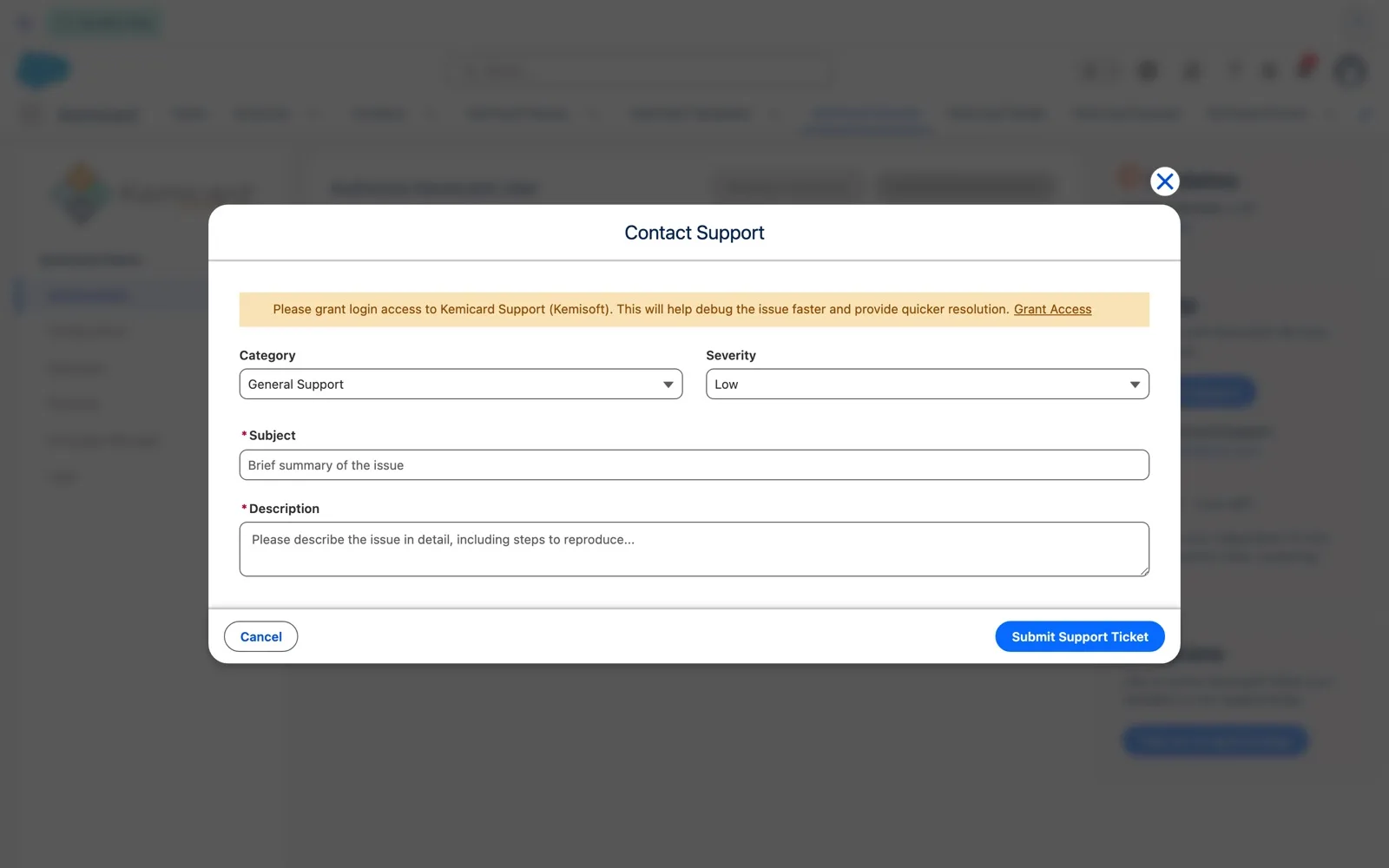
- Authorization and support in the Console — the Console now says Authorization throughout; Request Credentials asks our team for the named-credential details, and Contact Support opens a ticket form.
- Simpler permissions — generating passes no longer needs View Setup and Configuration; Kemicard Pass Campaign Manager is renamed Kemicard Connect; Console › Upgrades is controlled by the new Kemicard Upgrade Access custom permission; users without access to Studio, Upgrades or Event Assignment see a clear message instead of an error.
Fixes
| Area | What we fixed |
|---|---|
| Google Wallet | Web links on the back of Google Wallet passes are now detected as links. |
| Google Wallet | The thumbnail image no longer disappears from the front of a Google pass after a template changes from Generic to Thumbnail and an update is sent. |
| Google Wallet | Passes using CODABAR, EAN_8, EAN_13 or ITF_14 barcodes no longer fail to generate. |
| Apple Wallet | Static text fields that contain a web address now work on Apple Wallet passes. |
| Apple Wallet | Attaching the Apple pass to the email while Send Apple Pass is turned off no longer makes pass generation fail. |
| Templates | Field values no longer shift position in Apple and Google templates, and new templates get a single default Message field on the back. |
| Templates | Placeholders no longer disappear when a field mapping already has a value. |
| Templates | Turning a static Yes/No field on or off no longer clears the value of the field before it. |
| Configurations | Date and Date/Time fields are labelled clearly when you pick the relevant and expiration dates, with a note about the default time for date-only fields. |
| Scanner | Scanning a pass for an inactive event now shows a clear message explaining why the scan was rejected. |
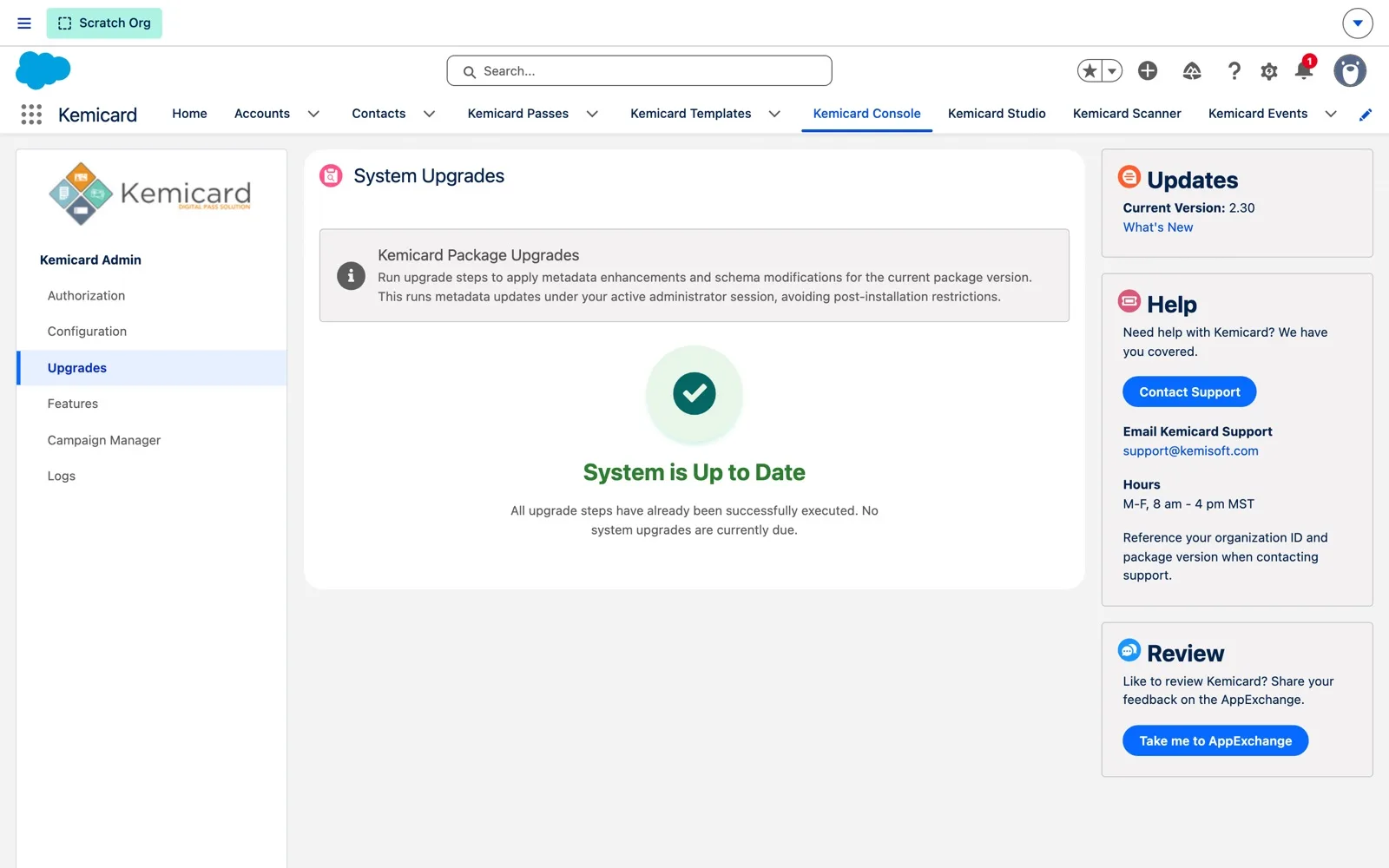
| Console | A new installation no longer shows upgrade steps as pending in Console › Upgrades. |
| Branding | “Powered by Kemicard” now links to kemicard.com. |
| Security | Security improvements from our latest AppExchange security review. |
Before you upgrade
- After upgrading, open Kemicard Console › Upgrades and run any listed steps. They add the Update & Notify request type and the None data detector option, record whether the org is a sandbox, schedule the daily connection check, and prepare the Kemicard Connect scheduler.
- Kemicard Connect replaces Campaign Manager, and Console › Kemicard Connect opens it. The Kemicard Connect permission set (API name
Kemicard_Pass_Bulk_Actions, unchanged) keeps its existing assignments. - The Connect scheduler is on by default and runs as Salesforce scheduled jobs (
PassDistributionSchedulerJob-…andKemicardConnectHourlyHealer). Stop and start it from Console › Connect Scheduler, not by deleting the jobs. - The daily connection check runs at 2:00 AM. You don't need to set it up.
- Make sure the users who should run upgrades have the Kemicard Digital Pass permission set, which now includes Kemicard Upgrade Access.
Permission set changes
| Permission set | Change in 2.30 |
|---|---|
| Kemicard Digital Pass | Adds the Kemicard Upgrade Access custom permission, View Setup and Configuration, and View Roles. Adds the Kemicard Connect tab and full access to Kemicard Connect and Connect Instance records. Adds access to the Connect, bulk generation and connection check classes. |
| Kemicard Digital Pass User | Adds access to the bulk generation classes and to the Connect controller the Console uses. Pass generation no longer needs View Setup and Configuration, so none is added. |
| Kemicard Integration | Adds View Setup and Configuration, View Roles, and access to the connection check classes. Adds the Kemicard Connect tab and access to Kemicard Connect records. |
| Kemicard Connect (was Kemicard Pass Campaign Manager) | Renamed. Adds the Kemicard Connect tab, the Connect classes, and full access to Kemicard Connect and Connect Instance records. Also adds the bulk generation classes, the Log object and Kemicard app configuration, so non-admin users can create and run Connects. |
| Kemicard Scanner, Kemicard Event Admin | Add read access to Kemicard app configuration. |
An anti-fraud release. A static QR code keeps working for as long as someone has a photo of it, and a pass that can be forwarded freely can do the work of two memberships. Three new Google Wallet controls close that gap, and the Kemicard Scanner gets a faster check-in flow at the door.
- Rotating barcode (Google Wallet) — replaces the static QR code with one that refreshes on an interval you set (5–600 seconds, default 20) at a length you choose (6–8 digits, default 6). Each pass carries its own secret and the scanner validates the live code, so a screenshot goes stale within seconds. Enabled per template in Kemicard Studio under Settings → Barcodes. Set it up.
- Pass sharing controls — decide which wallets a pass is allowed to reach, set separately per platform. Apple Wallet gets an on/off switch that removes the Share button. Google Wallet gets four levels: Fully Shareable, Single User (Multiple Devices), Single User (Single Device), and Sharing Prohibited. Compare the levels.
- Private Image type (Google Wallet) — shows a member photo on a standard pass, private to the pass holder but with no screen-lock prompt. Secure Private Image remains available where device-unlock verification is wanted. Choose a type.
- Kemicard Scanner — pick camera or an external handheld/gun scanner once and Kemicard remembers it; results appear immediately and can carry a profile photo, extra images and clickable links for visual identity checks. Scanner guide.
- Self-service upgrade steps — the Upgrades area of the Kemicard Console now carries a Pending badge when post-install metadata steps are outstanding, and an admin runs them with one click under their own session. No support case, and no guessing whether the org is fully upgraded. How to run them.
- Secure private images for Google Wallet — among the first Google Wallet partners to implement; optional per template.
- URL-based thumbnail images — Google thumbnail support with API control.
- Smoother geolocation-triggered passes — geofencing reliability improvements.
- Faster, safer package upgrades — plus Google rendering fixes.
- Geofencing with Google Maps integration — addresses or coordinates, multiple locations per template.
- Streamlined feature enablement and refined permissions for standard users.
- Campaign reporting improvements and reliability hardening.
- Template import/export between orgs — the standard sandbox-to-production promotion path.
- Template clone — one-click variants preserving configuration and structure.
- Real-time pass event processing — new event pipeline for instant updates.
- Enhanced barcode text configuration, WhatId support in email templates, and notification-ordering fixes.
- New Overview & Getting Started guides.
- Loyalty Pass support for Apple & Google Wallet — points balances and rewards status on the card.
- Dynamic thumbnail images on passes.
- Guided wizard for template creation and centralized logging in the Kemicard Console.
- Fixes: attach-pass-to-email, editable Apple notification titles, inactive-template install counting, and back-field validation over 255 characters.