

Digital Membership Cards for Nonprofits on Salesforce: The 2026 Playbook

 By the Kemicard team
Salesforce is a CRM that, on Salesforce's own count, more than 60,000 nonprofits use. It manages stakeholder relationships from a single platform — fundraising, volunteer management, program management, and outcome management in the same org.
Issuing digital membership cards from those records takes an application added to the org. This playbook covers what a digital membership card is for a nonprofit, which records hold the data behind it, and how one is issued from a Salesforce record.
What is a digital membership card for nonprofits?
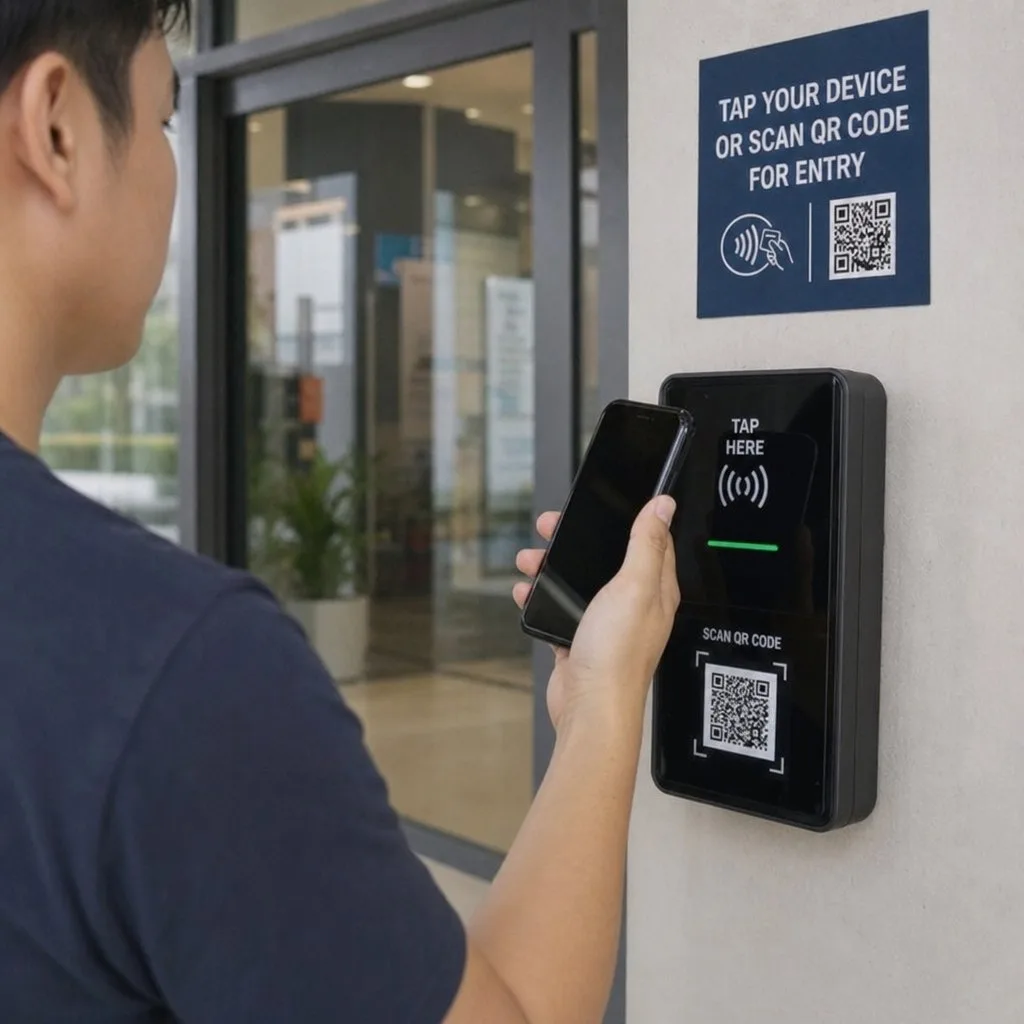
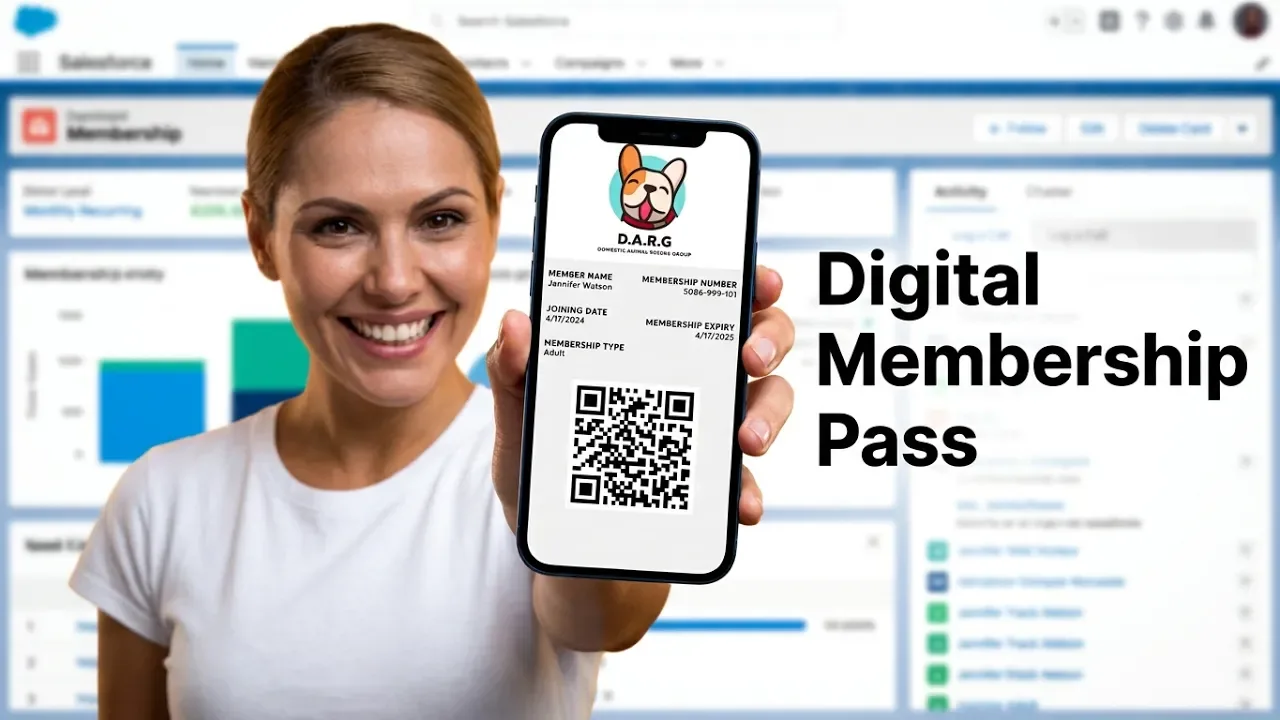
A digital membership card is a wallet pass, which is a card file a member keeps in the Apple Wallet or Google Wallet app on a phone. It holds what a printed membership card holds. Name, membership level, member ID, and expiry date are the standard fields, with a scannable code used to check the card at a door.
Digital membership cards for nonprofits cover more than one kind of card. Membership is one use of the term. Donor recognition, volunteering, program access, and events each carry a card of their own.
- Member card. Names the member and the membership level held, with the renewal date on it. Shown at a members' entrance or for a member discount.
- Donor recognition card. Marks a giving level rather than a paid membership. The level named on it changes as the donor's giving changes. Recognition tiers are printed on the card itself.
- Volunteer ID. Identifies the volunteer and the role held. Used for shift check-in and for site access, in the way digital ID cards work for staff.
- Program eligibility card. Shows that a participant qualifies for a service the nonprofit runs.
- Event or gala ticket. One card for each attendee. A seat or table number goes on it where the event has seating.
- Chapter or affiliate card. Names the local chapter alongside the national organization it belongs to.
A nonprofit running several programs issues one card type per program, with the member holding each of them in the same wallet app.
Salesforce records behind digital membership cards for nonprofits
A nonprofit membership program keeps member data on several objects. A card is built by reading one field from each of them.
The member record and the household account
The member is held as a Contact. Nonprofit Cloud's fundraising data model carries a Constituent object alongside Contact, and an organization checks which one its own program writes to. The Account holds the household or the employer, and a family membership is recorded against it. Account Contact Relation links a member to more than one account, so a member who belongs to a local chapter along with the national body carries both. NPSP handles the same link with an Affiliation record.
Membership level and expiry date
Nonprofit Cloud has no standard Membership object. The level and the end date are held on fields an organization defines for itself, and names differ from one org to the next. Gift Commitment holds a recurring pledge, and some organizations treat that pledge as the membership. An eligibility card comes from Program Enrollment, which records a participant joining.
Salesforce fields on a digital membership card
Permissions come from the org, so field-level security decides which values are allowed onto a card. The mapping runs like this.
| Card field | Where the value comes from |
|---|---|
| Member name | Contact |
| Household or employer | Account |
| Membership level | A custom field on the Contact, or on the record the program uses |
| Expiry date | A custom field holding the membership end date |
| Member ID | A Contact field, or an external ID on the record |
| Chapter or affiliate | Account Contact Relation, held as an Affiliation in NPSP |
| Donor recognition level | Gift Commitment, or a donor gift summary field |
| Program eligibility | Program Enrollment or Benefit Assignment |
| Scannable code | The serial number given to the pass at issue |
A field left unmapped prints as a blank space, so the mapping gets settled before the first card is issued.
How to create digital membership cards for nonprofits in Salesforce
A card is issued from a member record in two ways. A developer builds the pass inside the org, or the organization installs an application that generates it.
Building the card in-house
Building means the nonprofit owns the code behind the card, along with the accounts Apple Wallet and Google Wallet each require. A Salesforce developer writes it, and the hours come from staff time or from an implementation partner.
Apple Wallet needs an Apple Developer Program enrollment registered to the organization, with a certificate renewed each year. Google Wallet needs a Google Cloud project holding a service account, along with an issuer account approved for the Wallet API. Both signing keys are held by the nonprofit.
Updates work differently on each side. An Apple Wallet pass is refreshed through a web service the organization runs, which answers for as long as members keep the card. A Google Wallet pass is held on Google's servers, so an update there is a call to the API.
A nonprofit issuing member cards, volunteer IDs, program cards, and gala tickets writes the build to cover each of them. A card type added later is more development. Those hours, along with the renewal work on both accounts, are what a build vs buy estimate for Salesforce wallet passes has to carry.
Installing a Salesforce-native application
A managed package installs from AppExchange and runs inside the org. Pass templates and field mappings are stored as Salesforce records, along with the rules that decide when a card is issued. Kemicard installs this way and manages the signing certificates for both wallets, so no private key is held by an admin.
Setup runs in a fixed order.
- Install the package from the AppExchange listing.
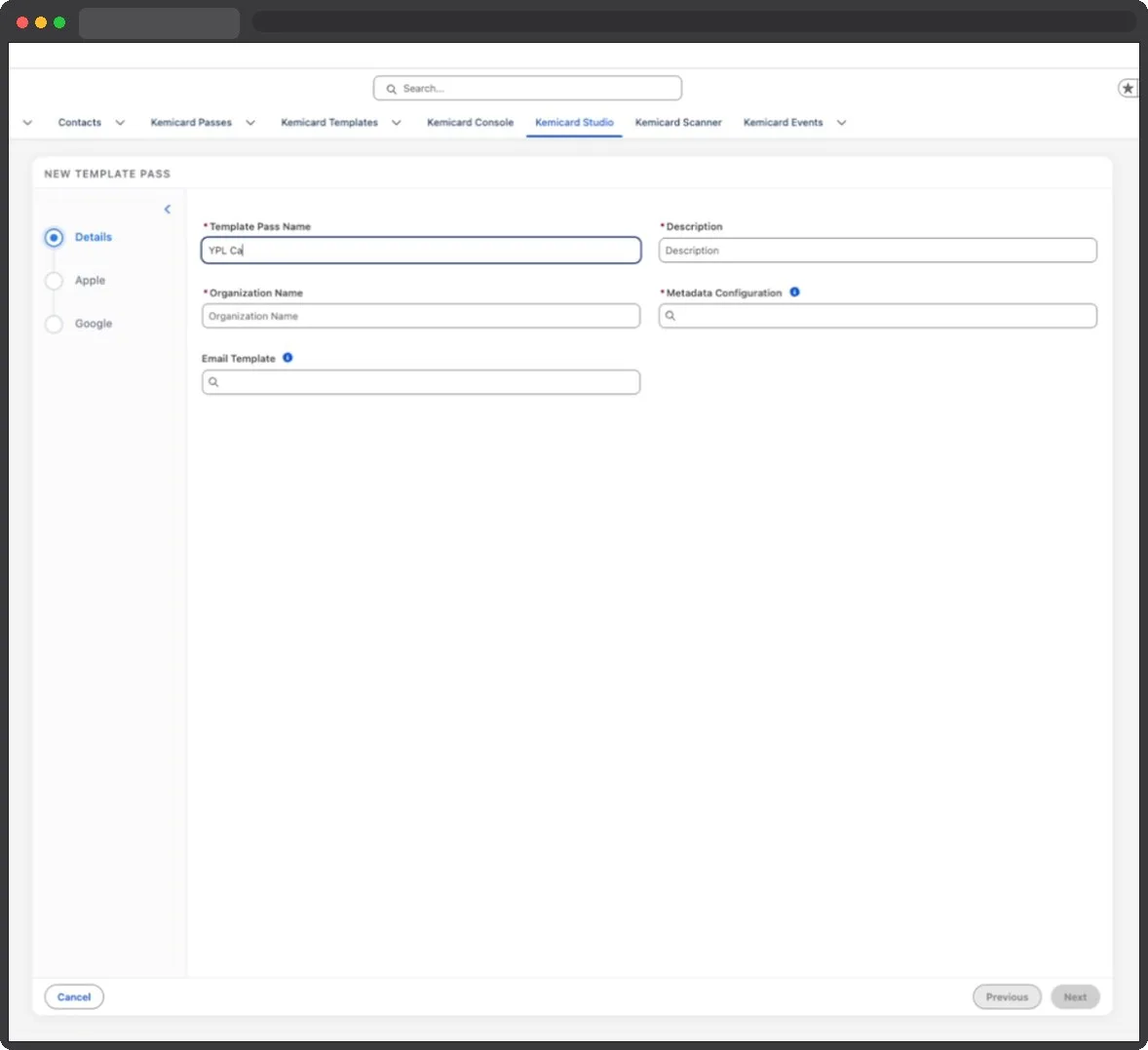
- Build the card template in the studio, with the branding and the fields the program needs.
- Map each field to the Contact, the Account, or the custom field holding the membership level.
- Set the issue rule in Flow, so a card is generated when a membership record meets the condition.
- Send the card by email, SMS, a QR code, or a save link.
Final take
The mapping carries the program, whether a nonprofit builds the card or installs an application.
Two questions settle before a template is designed. The first is which pass type identifier signs the card, because that identifier decides whether members reinstall when a program moves to another product. The second is where scan results are written, because reporting follows wherever they land.
A program that starts with one card type adds the rest to the same mapping, so the second card is configured rather than built. The wider case for leaving plastic behind is in why nonprofits go digital, and the day-to-day admin side is covered in nonprofit membership management.
Frequently asked questions
Are digital membership cards the same as Apple Pay for donations?
No. Apple Pay is a payment method for moving money. A digital membership card is a wallet pass held in the same app, carrying member details instead of payment credentials. A nonprofit taking gifts through Apple Pay and issuing member cards runs both, with no link between them.
Can a nonprofit still running NPSP use digital membership cards?
The card reads from whichever object holds the member, so an org on NPSP maps its Contact, Household Account, Affiliation, and custom membership fields the same way. Nonprofit Cloud, now called Agentforce Nonprofit, is the product Salesforce offers nonprofits today. Checking supported setups with the vendor before install is worth doing, since packages differ on which data models they read.
Does the scanner work without an internet connection?
A scan checks the member's status against the live Salesforce record, so the result depends on that lookup reaching the org. The barcode carries a serial number for the pass and no status of its own. Offline behavior differs by product, which makes it worth confirming before an event where connectivity is uncertain.
What does a nonprofit pay for digital membership cards?
A packaged application is a subscription, with implementation time spent on the template and the field mapping. A build pays developer hours, the wallet accounts, the hosting behind the update service, and the yearly renewals. The two routes are costed line by line in build vs buy. Kemicard's own tiers, including the nonprofit discount, are on the pricing page.
What member data goes on the card?
Only the fields mapped to the template appear on it. Name, membership level, member ID, and expiry date are the common set. Field-level security in the org decides what an admin is allowed to map, which keeps giving history off a card unless somebody puts it there. A card shown at a public desk displays whatever the template holds, so the mapping is worth a review before launch.
What do nonprofit membership cards look like in practice?
The card carries the organization's logo and colors, with the member name and the level on the front. Apple Wallet and Google Wallet both hold a scannable code on it. The back fields carry supporting details, which is where benefits, contact numbers, renewal instructions, and a start date are placed. A preview in the template studio shows the result before any card goes out.
Sources: Salesforce Help: Contacts to Multiple Accounts; Trailhead: Enhance Constituent Engagement with NPSP Affiliations; Apple's Adding a Web Service to Update Passes; Google's Setting up a Google Wallet API Issuer account.
Explore Kemicard
Product & solutions
Issue member cards from the records you already keep
See a card built from your own Contact and membership fields, mapped one by one. Kemicard is a Salesforce-native managed package, with a 10% nonprofit discount.
 Start the AppExchange Trial