

Digital Access Cards for Salesforce, Built on the Volunteer, Staff, Contractor, and Member Records
Access levels are rendered from your Salesforce fields, each scan validates against live data, and one click on the record revokes the credential in both wallets. Branded access and privilege cards for members, staff, volunteers, and citizens — verified with the Kemicard Scanner and logged to Salesforce on every scan.
 Try on AppExchange
Access Credentials Fragmented Across Department Tools That Never Write Back to the Org
Access data leaves Salesforce as an export and never comes back. Scans, hours, denials, and expiry changes accumulate inside department tools where no Salesforce report can reach them.
Stale export
The holder list was accurate the day it was generated and has been decaying since.
No write back
Scans and denials are recorded in the badge tool, so the Salesforce record shows nothing about access.
Vendor sprawl
Separate contracts, renewals, admins, and security reviews for systems describing the same people.
Salesforce holds the identity, and the department tools hold the activity. No view contains both — until the credential itself is issued from the record and every scan writes back to it.
Digital Access Cards for Salesforce, Configured Once and Issued Against Any Standard or Custom Object
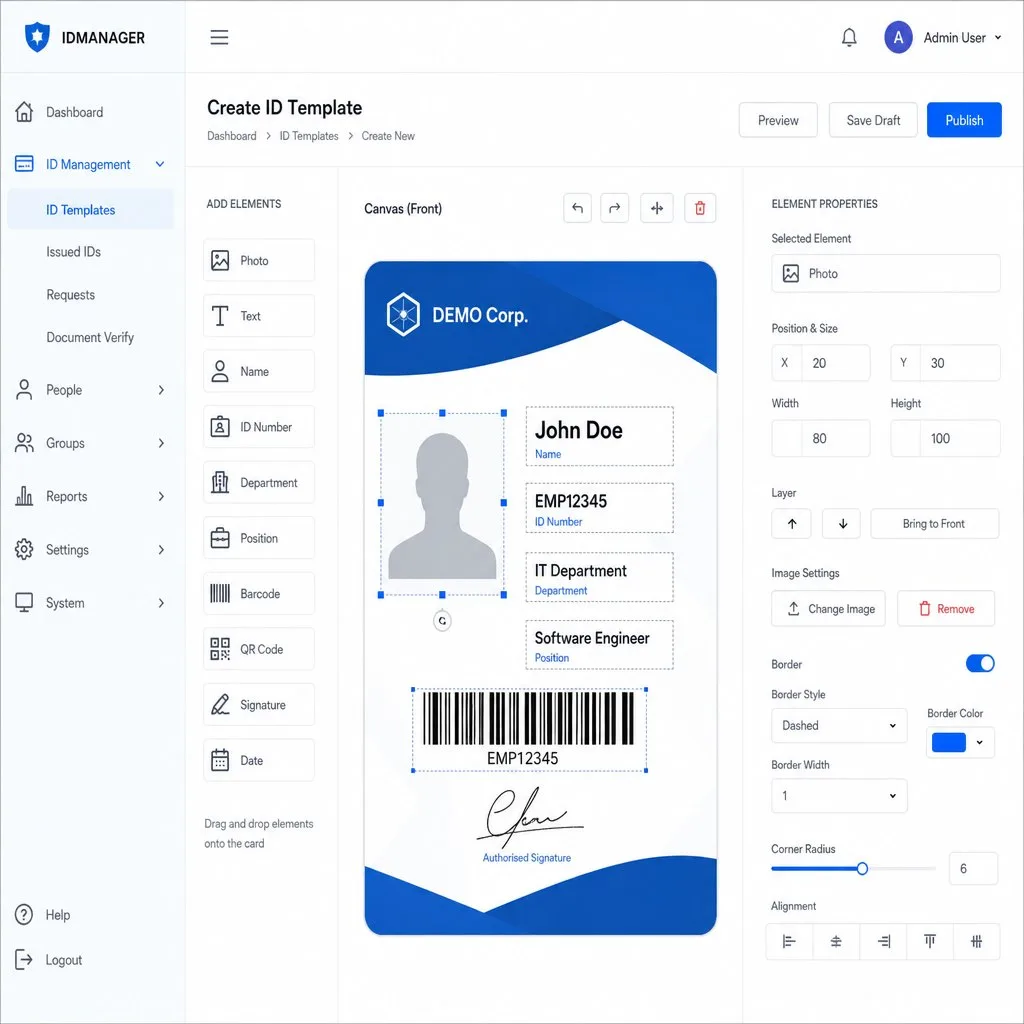
Build the template once and point it at whatever object holds the holder. Name, role, access level, and the scannable code render from fields you already maintain, and the same configuration compiles to Apple Wallet and Google Wallet.
Scannable membership cards
A scannable membership card that carries the tier and status held on the member record. When the membership lapses, the scan fails, and the reason is shown to whoever is at the desk.
Salesforce digital staff ID cards
Employee credentials are mapped to the HR or Contact record. A department move or a role change updates the card in place, without anyone reissuing anything.
Facility and club access cards
Cards are bound to a subscription or plan record. Class access, site access, and hours all render from the plan the member is currently on.
Every credential your departments buy separately, demoed on one Salesforce org.
See the Access Control DemoEvery Access Control Feature Runs on the Salesforce Record That Issued the Credential
Every feature below is configured in the Salesforce admin UI and logged on the source object. There is no second dashboard and no export to reconcile afterwards.
Configurable validation rules
What counts as a valid entry is defined in Salesforce, including which sites, which windows, and which statuses pass.
Live validation on every scan
Each pass carries a unique serial, and the scan checks that serial against its source record in real time. A lapsed membership or a withdrawn credential fails with the reason on screen.
Native reports and dashboards
Access data uses the standard Salesforce report builder. No export, no BI connector, no second login.
One-click revocation
Deactivate the record and the credential is withdrawn from Apple Wallet and Google Wallet, with the action timestamped on the source object.
Inherited Salesforce security
Credentials run inside your org and follow the field-level security, permission sets, and session policies already configured there. No second perimeter to defend.
Expiry, Suspension, Reinstatement, and Audit All Driven by the Salesforce Record
Every state a relationship moves through is already tracked in your org. The credential reads that state, so a closed contract or a returning volunteer needs no decision at the door.
Expiry from a date field
The end date already on the record ends the credential. Contract close, term end, or event finish — whichever field you map.
Temporary suspension
Put a credential on hold without deleting it. Entry stops, the history stays intact, and the record keeps its place in your reporting.
Reinstatement to the same wallet
Reactivate the record and the credential returns to the pass the holder already saved. There is no second onboarding and no new link to send.
Flow-driven state changes
A status update, a closed opportunity, or an ended assignment triggers the lifecycle action on its own. Nobody has to remember to act.
Timestamped lifecycle log
Every state change is written against the holder with the user who made it, which is what an incident review actually asks for.
Who Gets In, and What They're Entitled To
- VIP & privilege cards — branded access cards with member details and transaction history on the pass, proven in production with resort and hospitality clients.
- Staff & volunteer badges — digital IDs with validation barcodes, issued and revoked from the HR or volunteer record.
- Permits & licenses — public-sector permits with renewal reminders and checkpoint verification.
- Scan-driven entitlements — a scan can check tier, record the visit, decrement an allowance, and flag exceptions, all through Flows.
- Revocation patterns — expire the pass, disable the distribution link, or switch to an error-state template that hides the QR and identifying details.
- Sharing controls — disable wallet sharing at the template level; duplicate-install auto-invalidation for Google Wallet.
 Azure Beach Club
 TechPark One
Credentials That Communicate
Access is a lifecycle, not a badge print. Push notifications keep credential holders informed at every status change — automatically, from the record.
- Expiry warnings. Contractors and seasonal staff get renewal reminders before their credential lapses — not a surprise at the gate.
- Status changes. Approvals, suspensions, and reinstatements push the moment the Salesforce record changes, so the holder always knows where they stand.
- Site-day logistics. Muster points, induction times, and zone changes reach every credentialed person on site.
- Security notices. If a card is detected on multiple devices, the visual changes — and a notification can tell the legitimate holder what to do next.
Every message here is a template — sent automatically from a Salesforce Flow, a Bulk Action, or a single record, at no per-message cost.

Gate 2, 45 Dockside Way
Baltimore, MD 21230
Building C: escort required
The Back of the Credential: Safety in Every Pocket
Emergency contacts, site rules, and authorized zones ride along with the credential — current as of the last record update.
Every row is a back-of-pass field configured in Kemicard Studio — plain text, tappable links, and phone numbers, all mapped to Salesforce data. When muster points or safety rules change, the credential back updates for every holder at once — compliance information that can't go stale.
Verified On-Site, Logged in Salesforce
Kemicard Scanner
Staff-facing scanner on standard mobile devices verifies passes, shows member details, and records attendance and redemptions — with unlimited-scan licensing available.
Experience Cloud embedding
Embed scanning in a community page for staff or partners via Site Builder — no separate app rollout.
Existing hardware
Barcode scanners that emulate keyboard input drive the same Salesforce mapping — reuse what you own.
Credentials you can trust
Access control with wallet passes is about verifiable identity that stays current. A Kemicard credential — staff badge, contractor pass, volunteer ID, member access card — is issued from a Salesforce record, carries a unique signed identifier, and reflects the record's live status. Deactivate the record and the credential fails its next scan; there is no physical badge to retrieve from a departing contractor.
Verification is deliberately low-tech at the edge: the Kemicard Scanner is a managed LWC component that sits on any Salesforce or Experience Cloud page layout — staff scan from a browser, the Salesforce mobile app, or a portal login, and each scan validates the credential in real time against Salesforce, showing a clear valid/invalid/duplicate result plus the holder's details for visual confirmation. Every scan is logged — who, where, when — building an audit trail that satisfies compliance reviews without a proprietary door-hardware project.
Tiered access maps naturally to templates: general members, staff, board, and vendors each get a visually distinct design that door teams recognize at a glance, with the scan providing the authoritative check. For time-boxed access — event crew, seasonal staff, facility rentals — set the expiry on the record and let the pass age out automatically. On the roadmap, NFC tap-to-verify will extend the same Salesforce-governed credential to tap readers.
Four Layers of Control Over Card Sharing
For high-value cards — benefits, access credentials, paid memberships — Kemicard layers multiple defenses so one card serves exactly one person.
- 1. Wallet-level sharing controls. The first line of defense: configure the template so Apple Wallet and Google Wallet themselves block the built-in share options on the pass.
- 2. Know the iCloud caveat. Apple automatically syncs Wallet passes to other devices signed into the same iCloud account. That's expected behavior for one person's devices — but it's why wallet-level controls alone aren't enough for high-value cards.
- 3. Kemicard multi-device detection. Our proprietary mechanism detects when one card has been installed on multiple devices and changes the card's visual appearance to show it — so the duplicate is obvious at a glance and at the door, where the Scanner also flags it.
- 4. Controlled download links (custom-built). For clients who need it, we can custom-build download-URL policies: the add-to-wallet link invalidates after the first download, after a set number of downloads (say, two), or outside a defined date range.
Where a Mobile Credential Is the Wrong Answer
Being clear about the exceptions makes the rest of the case more credible. Wallet credentials are right for the large majority of access programmes and wrong for a specific few.
- Where phones are prohibited — secure facilities, some clinical and industrial settings, examination halls.
- Where the credential must work without power. A flat battery is a real failure mode for a badge that opens a door.
- Where readers cannot be changed and accept proximity cards only.
- Where a regulator requires a physical document. Check rather than assume; the answer varies by jurisdiction.
Most organisations end up hybrid, which is a sound outcome rather than a compromise — wallet credentials for the majority, a small print run for the exceptions, one shared barcode so readers do not care which arrives.
Frequently Asked Questions
Yes. Issuance is a button on the record or a step in a Flow, and coordinators work entirely inside Salesforce. Volunteers receive a link and tap once to save the card, with no app to download and no account to create.
Staff open the scanner and scan the code on the pass. The scan checks the credential against its source record and returns the outcome on screen, including the reason when someone is turned away.
Each scan writes back to the holder's record, so volunteer hours, site entries, and session counts build up as ordinary Salesforce data. Attendance becomes a standard report rather than a spreadsheet somebody assembles afterwards.
Yes. A member who also volunteers can carry both passes under one Salesforce record, and each updates independently. Nothing forces you to collapse two relationships into a single card.
The template and the object differ, not the engine. A contractor pass is normally bound to a project or engagement record with an end date, while a staff ID follows the employment record for as long as it stays active.
Most teams replace it, because the value of running access inside Salesforce disappears if the holder list still lives somewhere else. Running both is possible during a transition, though you keep the reconciliation work until you stop.
Yes. Thousands of passes can be generated and delivered in a single operation, queued and logged against each Contact. This is how most teams move an existing badge population across without issuing one at a time.
No. Kemicard manages the Apple certificates and Google JWT rotation as the vendor, so nobody on your side owns a private key or tracks an annual certificate renewal.
It installs from the AppExchange as a managed package into your existing org. Templates, field mappings, and automation are all configured in the Salesforce admin UI, with no external dashboard and no middleware to stand up.
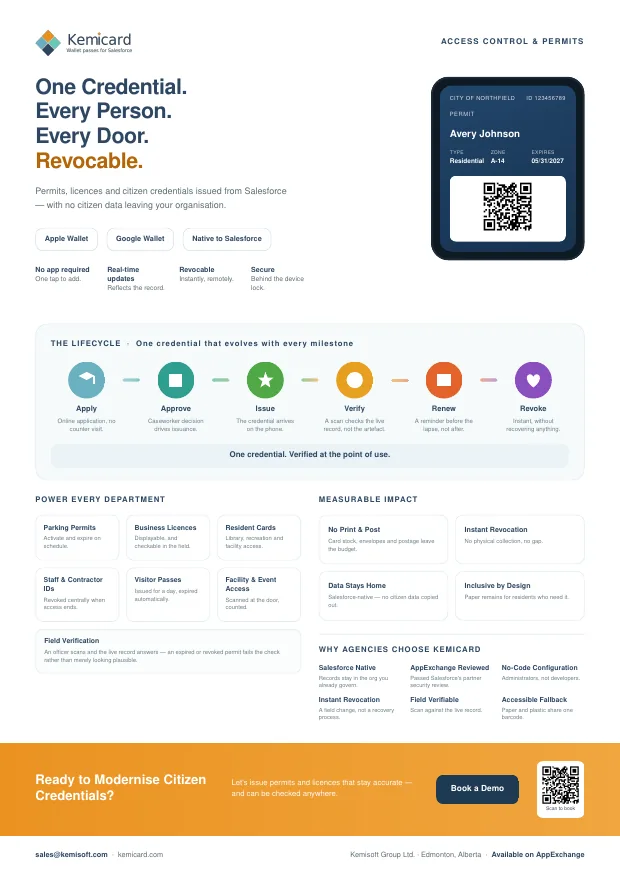
Access Control & Permits — the brochure
A one-page summary for a conference table or an email, or the six-page version for the colleague who has to approve it. Both cover what you can issue, how it works, and the push and back-of-card examples for access control and permits.
Further reading
From the blog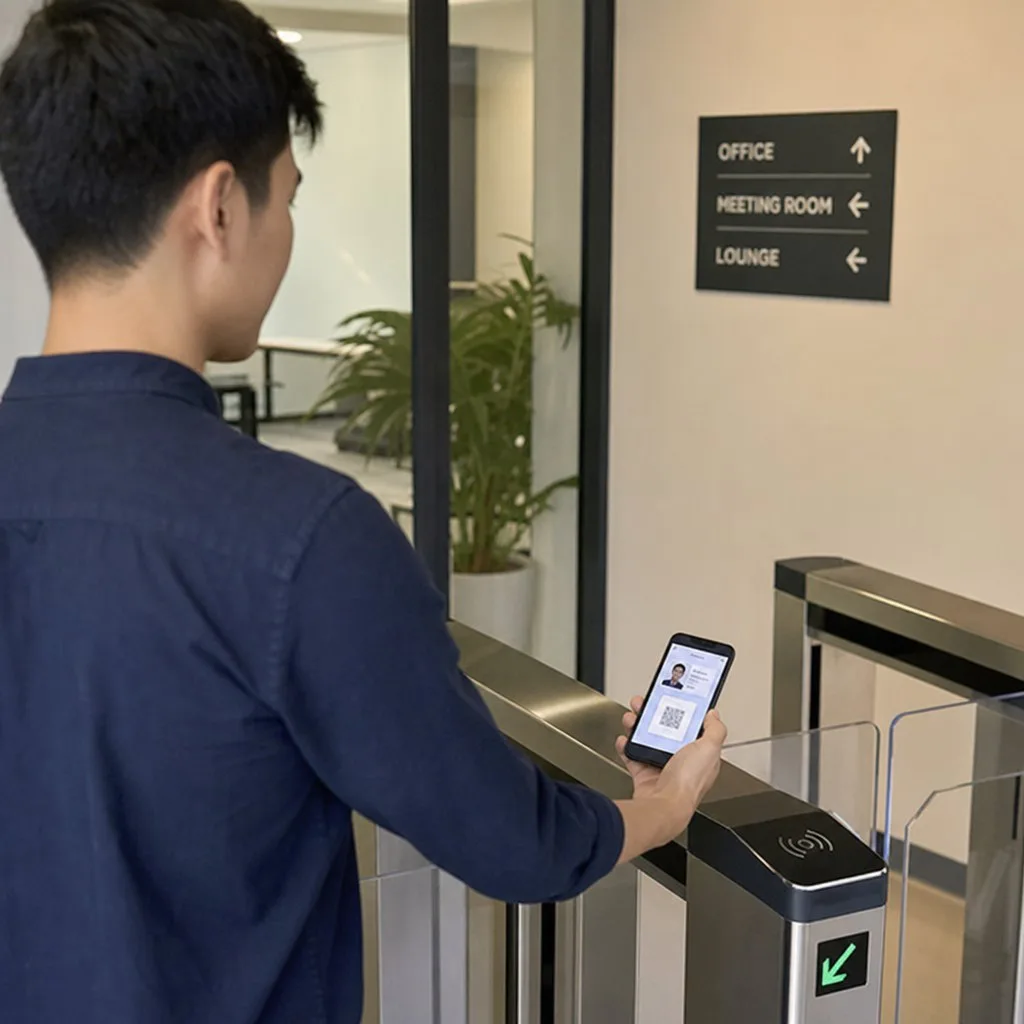
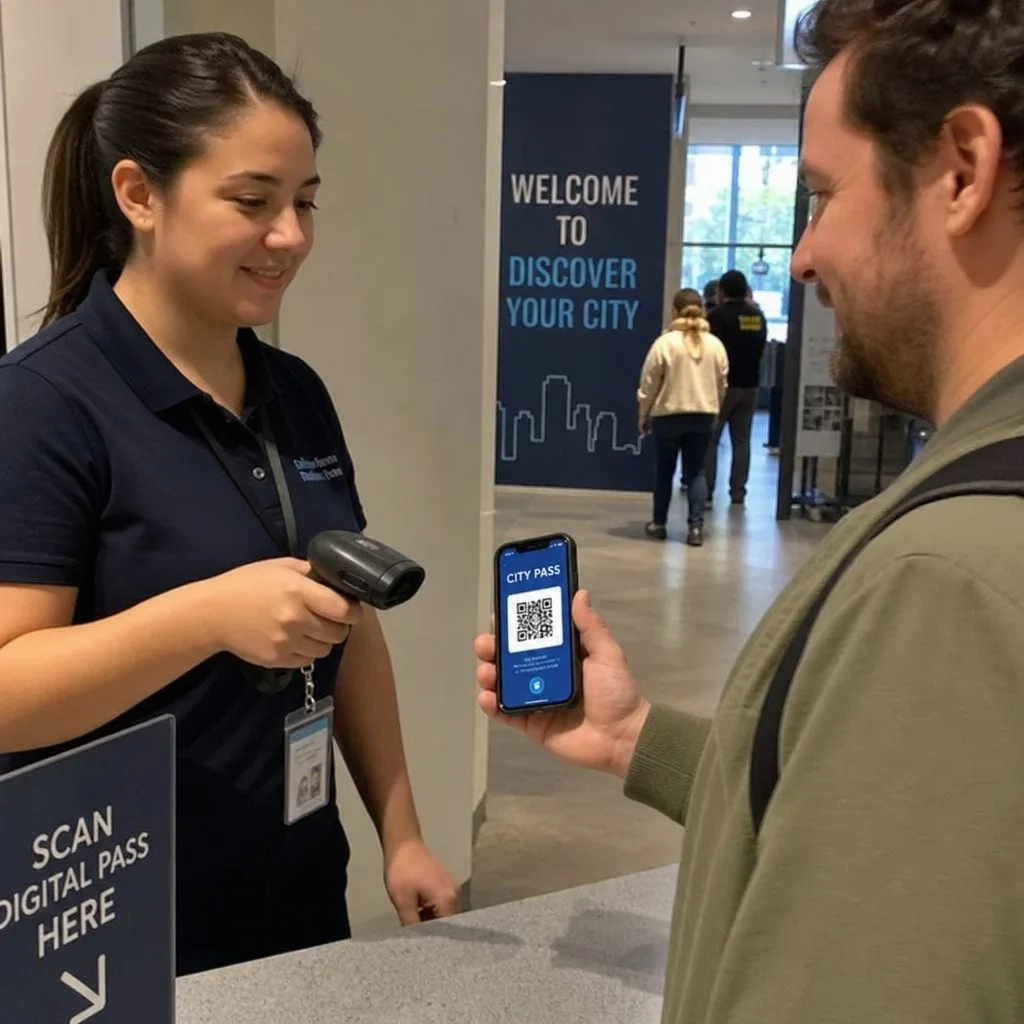

See a Credential Issued, Scanned, Suspended, and Revoked in One Session
We show volunteer, staff, and member credentials running from a single Salesforce configuration — on your own access model.