

Issue Salesforce Digital Membership Cards to Apple Wallet and Google Wallet
Every member record becomes an Apple Wallet or Google Wallet membership card, issued the moment someone joins. No plastic to print and no card to mail — different designs per tier, automatic renewal updates, and a direct push channel to every member's phone, with no app for them to download.
 Try on AppExchange
See it from the member's side
Two minutes, following one member from application form to a card in their wallet that keeps itself current.
More on the video tutorials page.
The Membership Card That Updates Itself
Printed cards are outdated the day a member upgrades. With Kemicard, the card in the wallet is a live view of the Salesforce record: name, tier, member ID, expiry, and benefits — always current, never reprinted.
- Tier-based designs — one template per membership level, assigned by record criteria. A flag field can switch a member's card design in real time.
- Renewal automation — expiry dates on the pass, renewal reminders by push, and lapsed-member card states, all driven by Flows.
- Hybrid physical + digital — keep printing plastic for members who want it, using the same barcode data, so both cards scan identically.
- Member self-service — members view their details and re-download passes on your Experience Cloud site.
- Membership letters — generate personalized letters or certificates alongside the card via document generation tools.
 Riverdale Association
 Summit Alpine Club
The Membership Card That Talks Back
A plastic card is silent. A Kemicard membership pass is a push channel to the one screen your members check dozens of times a day — their lock screen.
- Renewal rescue. Automated reminders at 30, 7, and 1 day before expiry — sent from a Flow, straight to the lock screen — recover renewals that emails in a crowded inbox never would.
- Tier moments. The instant a member reaches a new tier, the card re-themes and a congratulatory push lands. Recognition in real time beats a letter in the mail by weeks.
- Member-only news. AGM invitations, benefit changes, and members-only hours reach everyone with an installed card — no unsubscribe list, no spam folder.
- Geofenced welcomes. When a member walks near your venue, the card surfaces on the lock screen — ready to scan before they reach the desk.
Every message here is a template — sent automatically from a Salesforce Flow, a Bulk Action, or a single record, at no per-message cost.

18 Waterside Lane
Portsmouth, NH 03801
Sunday: 8:00 AM – 8:00 PM
The Back of the Card: Benefits, Always Current
Flip the card and members find everything they used to call the front desk about — benefits, policies, and one-tap links — kept current automatically from Salesforce.
Every row is a back-of-pass field configured in Kemicard Studio — plain text, tappable links, and phone numbers, all mapped to Salesforce data. When benefits change mid-season, you edit the template once and every member's card back updates. No reprints, no outdated PDFs in circulation.
Membership Cards in Salesforce, Built For Every Member Organization
Every organization below runs its membership differently. What they share is Salesforce as the source, so the card issues and renews from the same member record.
Alumni networks & education
An alumni or student membership card showing the member name, class year, and a scannable ID. It issues straight from the alumni record and updates in the wallet when a graduate joins a paid alumni tier, so there is no reprint for every change.
- Alumni and student data syncs to the card in real time
- Barcode validation at campus events and the library
- Personalized invitations delivered to the card
Associations & professional bodies
The card carries the member number, the membership level, and any professional designation the member holds. A Flow issues it on join, and renewal reissues nothing, since the same card refreshes when the record changes.
- Real-time status and tier updates on the card
- Segmentation by membership level, straight from CRM
- Renewal reminders delivered to the wallet card
Nonprofits & member programs
The card doubles as a supporter card, showing the supporter tier and the member-since date pulled from your Nonprofit Cloud or NPSP records. It issues from the records you already keep for giving, so there is no separate export to manage.
- Works with Nonprofit Cloud and NPSP data models
- Giving milestones and supporter tiers on the card
- Nonprofit discount on all annual plans
Clubs, gyms & recreation
An access membership card that shows the plan type and whether the membership is active or frozen. Members add it once, and every check-in scan logs to their record, so a paused or lapsed membership fails at the door the moment the status changes in Salesforce.
- Check-in scans logged to the member record
- Active or frozen status shown live on the card
- Lapsed memberships fail validation instantly
Museums, zoos & cultural attractions
An annual membership pass with the member level and a valid-through date, admitted by barcode at the gate. It issues on purchase and renews on the same record, and a reminder lands on the lock screen before the pass lapses.
- Member level and valid-through date on the pass
- Barcode admission at the gate
- Renewal reminders before the pass lapses
Coworking spaces & member communities
This card shows the plan tier and opens the door through its barcode. Because it is bound to the Salesforce record, ending a membership revokes the card and the access in one step, so a member who cancels loses entry right away.
- Plan tier shown on the card
- Barcode opens the door
- Canceling revokes the card and access at once
Every Membership Card Feature, Driven by the Salesforce Record Behind It
The card does not store anything of its own. It reflects the member record behind it, which is why the status you see is the status in Salesforce.
No-code membership card design
You build the membership card in the Salesforce admin UI. Pick a layout per membership level and map each field to the Salesforce field behind it.
Membership status and tier updates
Status, tier, member-since, and renewal date all render live from the member's Salesforce fields.
Renewal reminders
A lock-screen reminder goes out before the membership lapses, connected to the renewal date on the record.
One template, both wallets
You design the card once, and it renders to both an Apple Wallet membership card and a Google Wallet membership card from the same record.
One-click revocation
Revoke a card from the member's Salesforce record, and it disappears from their wallet.
Bulk issuance for renewals
Issue cards to an entire member list in one queued run, built for annual renewal cycles, with every card logged on its Contact.
One card, Apple Wallet and Google Wallet, from one record.
Book a DemoMembership Cards in Salesforce, Managed Across the Whole Lifecycle
The card is created, issued, validated, and renewed on one record. The entire lifecycle lives in Salesforce, with nothing external to host.
Create
Design the digital membership card template in Salesforce, with the layout and branding set per membership level. It is point-and-click, so no developer is needed to launch it.
Issue
Cards are issued automatically when a member signs up or renews. Each one is generated from the member's record, ready to add to Apple Wallet and Google Wallet in one tap.
Distribute
Send the add-to-wallet link through the channel you already use: email, SMS, or a QR code. The member taps once, and the card lands in their wallet, with no app to download.
Validate
The Salesforce membership scanner checks the card's barcode or QR against live data at your entry points. A lapsed membership fails on the spot, and every scan logs back to the record.
Update
When status or tier changes on the record, the card updates in the member's wallet in real time. There is no reissue and nothing for the members to do.
Renew
Renewal reminders go out before the membership lapses, and the card refreshes the moment the member renews. Retention runs in Salesforce, with no spreadsheet to maintain.
Revoke
End a membership, and the card is removed from the member's wallet. The action is timestamped on the record, so lapsed or terminated access stays auditable.
Report
Every scan and renewal lands on the member's record. Build reports and dashboards on card activity with the Salesforce tools your team already runs.
Membership Cards in Salesforce, Connected to the Data You Already Have
You already have the member data in Salesforce. A connected card puts it to work in the wallet, with no export and no second copy to manage.
Unified member view
Every scan and renewal writes back to the member's Salesforce record. Card activity becomes CRM data, and the member's full history lives in one place.
Inherited Salesforce security
Because the card runs inside your org, it inherits your existing profiles and field-level security. Adding Kemicard does not create a new system to defend.
Always-current cards
Every card is bound to a member record, so a status or tier change updates it in real time. No outdated card stays in a member's wallet, and no one has to reissue anything.
No card infrastructure to maintain
Kemicard runs the Apple certificates and Google signing for you, and it keeps up with every wallet spec change. Your team manages members, not a signing server.
Anatomy of a great membership card
A membership card program succeeds on three details. First, the card must be trivially easy to install: Kemicard's enrollment email carries one smart link that detects the phone and offers Add to Apple Wallet or Save to Google Wallet — one tap, no app, no account creation. Programs see the difference immediately in install rates versus app-based approaches.
Second, the card must never go stale. Every field on a Kemicard pass maps to Salesforce data: when the renewal posts, the expiry date on the card changes; when the member upgrades, the design itself switches to the higher-tier template with a congratulatory push notification. The wallet becomes a live window into the CRM record — which is why members stop asking "did my renewal go through?"
Third, the card must do work at the door. The QR or PDF417 barcode validates against Salesforce in real time through the Kemicard Scanner, distinguishing valid members, expired memberships, and duplicated passes — and logging every check-in for engagement reporting. Add geofenced lock-screen surfacing near your venue and benefit-partner locations, and the card members installed once keeps earning its place on their phones for years.
“My organization was implementing a new membership program and needed scannable digital membership cards to track membership status, entry into our facility, and program/event attendance. We searched for various solutions and finally found Kemicard! It works perfectly! The software is native to Salesforce and is easy to manage. We love the ability to have and create our own custom designs and currently have a different card for each of our membership levels.”
Carmen Neely
President & CEO — The Harlem Center
Verified 5-star review · Salesforce AppExchange · Feb 2025
The Benefits of Digital Membership Cards
Digital membership cards replace plastic and PDFs with a card that lives in the mobile wallet app your members already have. The benefits compound: no clutter and nothing to lose or reprint; security through the wallet’s encryption and biometric authentication, plus Kemicard’s signed passes and sharing controls; real-time updates that keep tier, expiry and benefits current on every phone at once; sustainability and cost savings from eliminating printing and postage; and analytics — installs, scans and engagement reported natively in Salesforce.
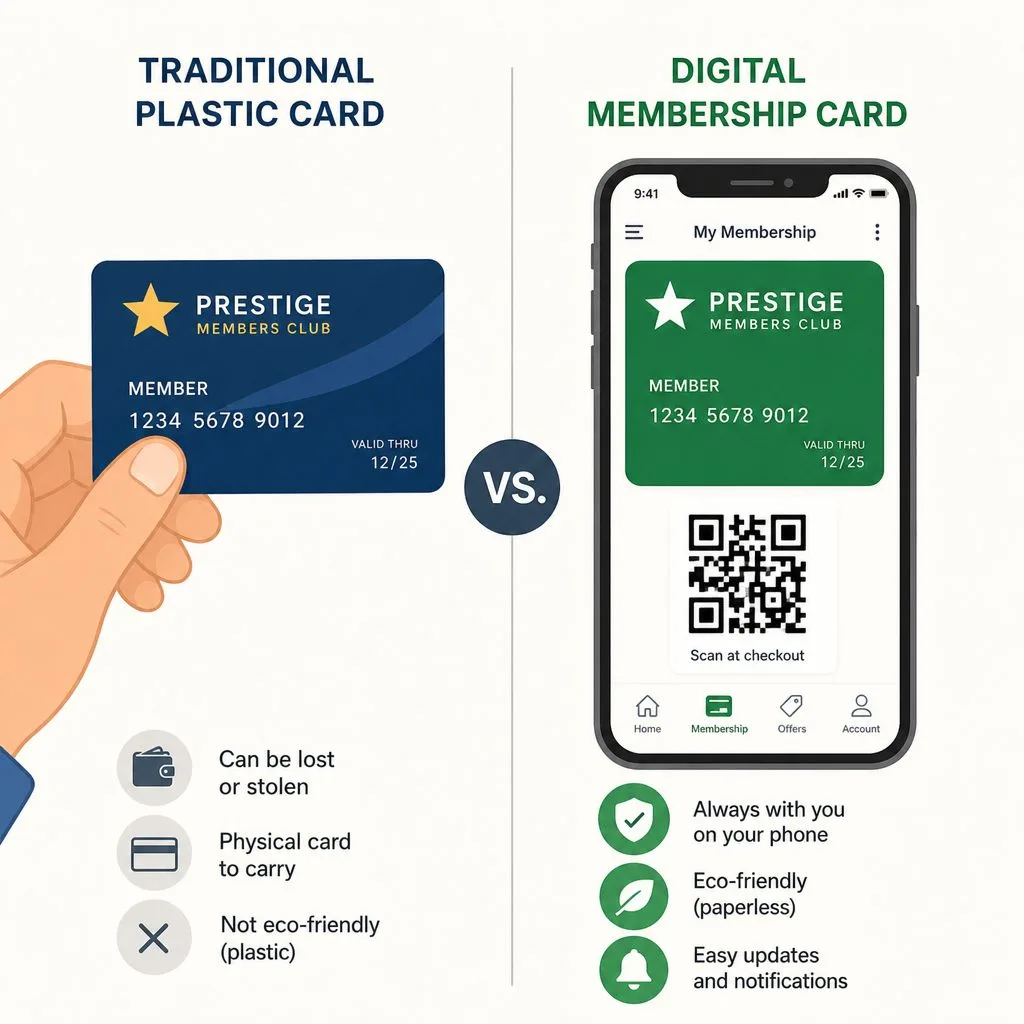
Digital membership cards: Apple Wallet vs Google Wallet
Your members are split across two ecosystems. For digital membership cards, Apple Wallet brings lock-screen surfacing and location-based reminders on iPhone and Apple Watch; for digital membership cards, Google Wallet brings broad Android coverage and device-bound sharing controls. Kemicard renders one tier design correctly for both — see the full Apple Wallet vs Google Wallet comparison, and the step-by-step launch guide when you’re ready to roll out.

A Perfect Card Nobody Installs Is Worth Nothing
Membership schemes fail at delivery more often than at design. The card can be right in every respect and still reach a third of the membership if the route to the phone asks too much of people.
- The welcome email carries it. A member who joins online should hold the card before they first arrive.
- SMS for the non-openers, where you already have consent. Open rates are substantially higher.
- A QR poster at the desk catches walk-ins and everyone who joined before the programme existed.
- Never require an app. Both wallets are already installed; a download request is where the attrition happens.
Frequently Asked Questions
Pricing is annual and based on the number of cards you issue each year, and nonprofits get a discount. Salesforce membership organisations that issue thousands of cards are the best fit, while a program of a few hundred cards will do better with a lighter tool. See pricing for the full table.
It runs on standard and custom objects, so it works across Salesforce editions and reads whatever member model you have built. That includes Salesforce Nonprofit Cloud membership management and NPSP, so nonprofit teams keep their existing data model.
Yes. A photo stored on the member record renders on the card, so a Salesforce membership wallet card can act as a photo ID at staffed doors and service desks. That helps where a barcode alone is not enough to confirm the person.
The scanner validates against live Salesforce data, so a connection gives you the real-time check where a lapsed member fails on the spot. For venues with weak signal, plan for a connected device at entry, and we can walk through your specific setup on a demo.
Yes. You issue cards to an existing member list in one bulk run, so an entire membership base can move to the wallet at once. Each card still ties back to its own member record, so nothing is lost in the switch.
There is no separate platform to stand up, so the work is Salesforce configuration your admins already know. A first card comes together quickly, and you pilot it against real records before rolling out.
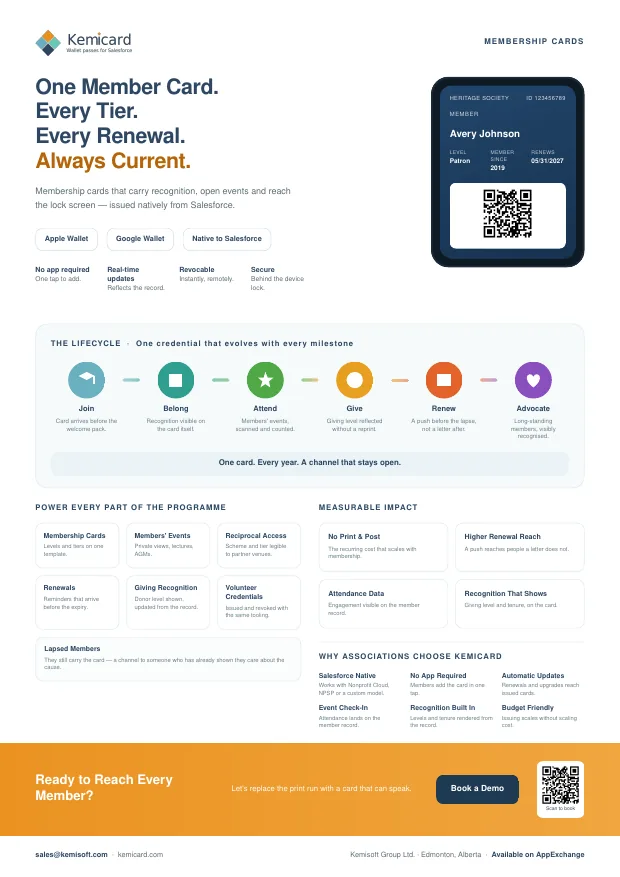
Membership Cards — the brochure
A one-page summary for a conference table or an email, or the six-page version for the colleague who has to approve it. Both cover what you can issue, how it works, and the push and back-of-card examples for membership cards.
Further reading
From the blog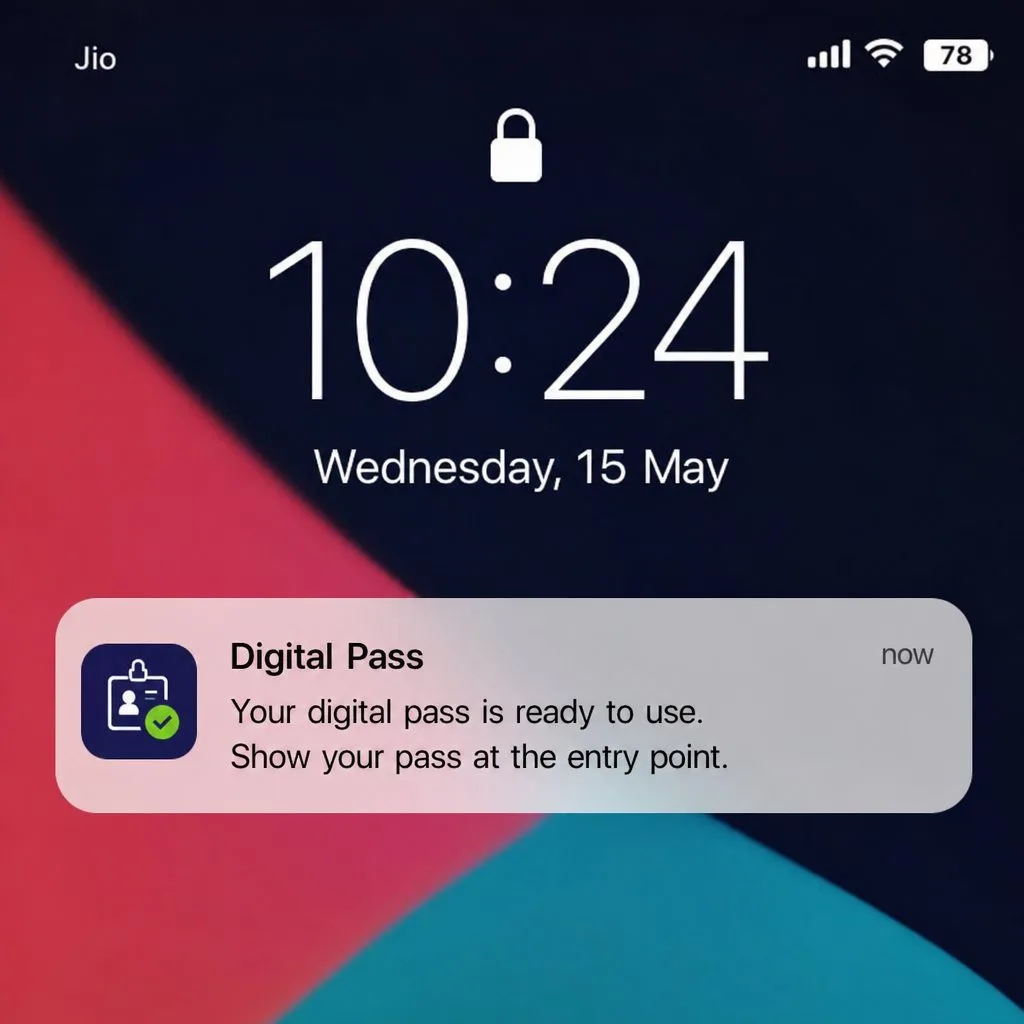
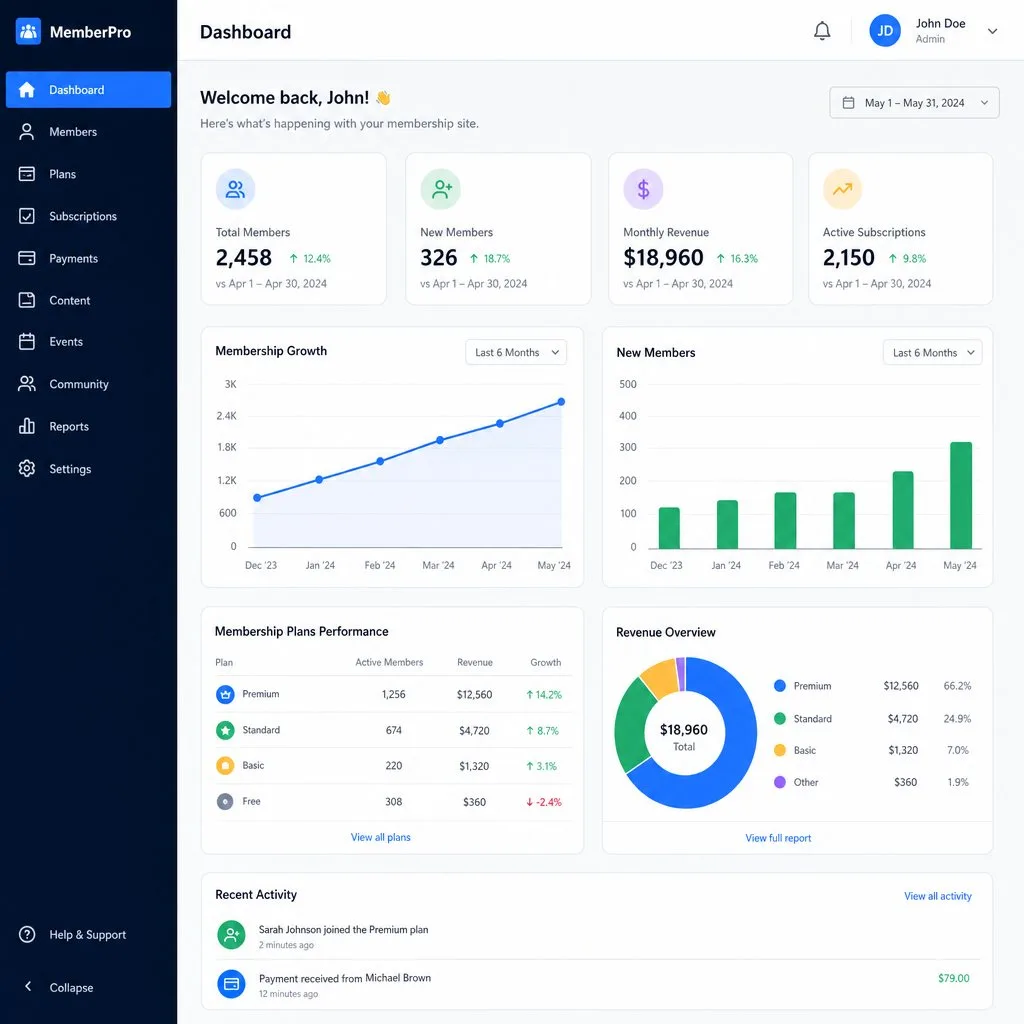
See a Membership Card Issued and Validated On Your Own Salesforce Data
Book 30 minutes with the Kemicard team. We will issue a working membership card against your own Salesforce fields on the call, and you will watch it update in real time.