Frequently Asked Questions
Everything you need to know about Kemicard, Apple Wallet and Google Wallet passes, and running a wallet pass program from Salesforce. Use it as a digital wallet passes FAQ: digital wallet pass security, digital wallet pass distribution, updates, scanning and pricing — all answered below.
Getting started
Kemicard is a Salesforce-native application that turns records already in your Salesforce org — Contacts, Accounts, or any custom object — into live Apple Wallet and Google Wallet passes. Organizations issue digital member cards, loyalty cards, event tickets, coupons, and ID passes directly from Salesforce, with real-time updates pushed to the holder's phone when CRM data changes. No .pkpass infrastructure, signing certificates, or developer work required.
Kemicard is available on the Salesforce AppExchange as a managed package. Install it in a sandbox first, then production, and configure your templates and fields. You can also test drive Kemicard in our hosted org with no setup at all, or start a free 30-day trial in your sandbox before committing.
Yes. Kemicard works with Sales Cloud, Service Cloud, Nonprofit Cloud, NPSP, Experience Cloud, Marketing Cloud, and Loyalty Management, and drives passes from standard or custom objects — no re-architecting required.
Most out-of-the-box deployments complete in days, not months, following five steps: install & provision, design, automate, distribute, and measure. See how it works.
For your members
No. Passes save with a single tap on the add-to-wallet link, using the wallet app already built into the phone. There is nothing for your members to install or log into.
Yes. The pass is stored on the device, so the barcode displays and scans offline. Updates and push messages arrive the next time the phone is online.
The card is tied to the Salesforce record — the phone only displays it. The member re-adds the card on the new device using the same add-to-wallet link, with their data intact. Wallets also sync passes across devices signed into the same Apple ID or Google account.
Yes. A member can hold their membership, loyalty, and event passes together, bundled under one Salesforce record — and each pass updates independently.
Engagement & updates
Send from a record, a Flow, or Bulk Actions, with custom text per template. Notifications reach the lock screen on both Apple and Google — typically 80–90% visibility versus 15–20% email open rates. Generic push messaging on Apple is a Kemicard differentiator many competitors lack.
Yes. Geofencing surfaces the pass on the lock screen when the member is near your venue or store — plain addresses or coordinates, up to 10 locations per template, on both platforms.
Yes — today via scheduled Salesforce Flows (a supported configuration), with calendar-based scheduling in Kemicard Connect on the roadmap.
Yes. Update the template or switch a pass between templates in real time — this powers tier upgrades, seasonal designs, and promotional strip-image refreshes on already-installed passes.
Security & compliance
Pass data lives on records in your Salesforce org, governed by your existing security model. Passes are encrypted in transit and at rest, and each carries a unique identifier validated on every scan. See the Security & Trust Center.
Yes — disable wallet sharing at the template level, track duplicate scans, and use device-restriction features that auto-invalidate duplicate installs on Google Wallet. Established revocation patterns cover lost or abused passes.
Kemisoft provisions and renews wallet credentials as part of your subscription, so passes never stop updating because of an expired certificate.
Pricing & support
Annual plans based on passes issued per year, starting at 5,000 passes for $3,500 USD. Nonprofits get 10% off. See pricing.
All customers get access to documentation, release notes, and support at supportkemisoft.com. Enterprise tiers include priority investigation; implementation services are available for custom builds.
Yes. Implementation partners deliver Kemicard alongside broader Salesforce projects, with enablement and escalation support from Kemisoft.
Use a no-code pass builder. Kemicard is an Apple Wallet pass generator and Google Wallet pass creator built natively into Salesforce: pick a template, map your CRM fields, and Kemicard generates, signs, and delivers the pass — no .pkpass tooling, certificates, or developer time required.
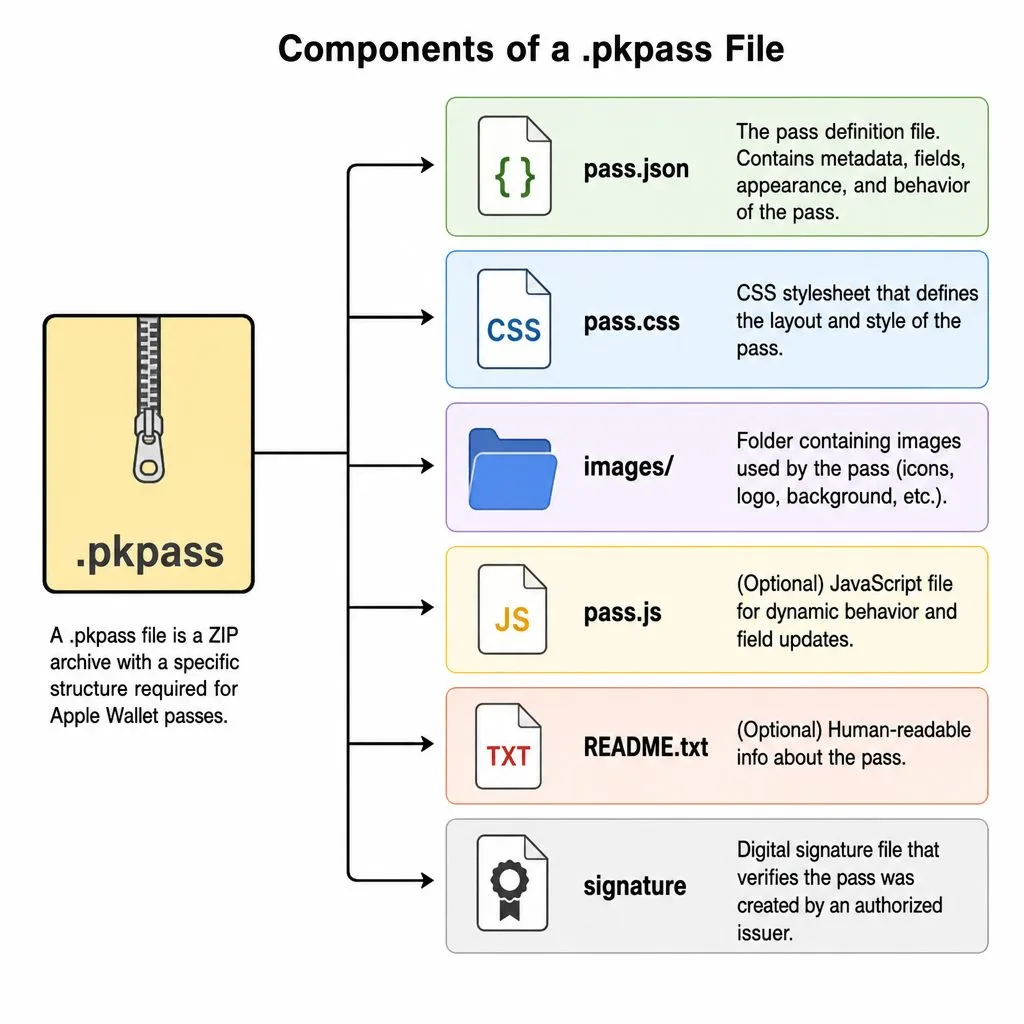
A .pkpass file is Apple's signed package format for Wallet passes — a zip containing the pass definition, images, and a cryptographic signature. Kemicard builds and signs .pkpass files for you automatically on its secure server, and generates the Google Wallet equivalent from the same template.
Passbook was the original name of Apple's pass app; Apple renamed it to Apple Wallet in 2015. Passbook passes and Apple Wallet passes are the same .pkpass format, so anything once called a Passbook pass is created today as an Apple Wallet pass — which is exactly what Kemicard produces from Salesforce.
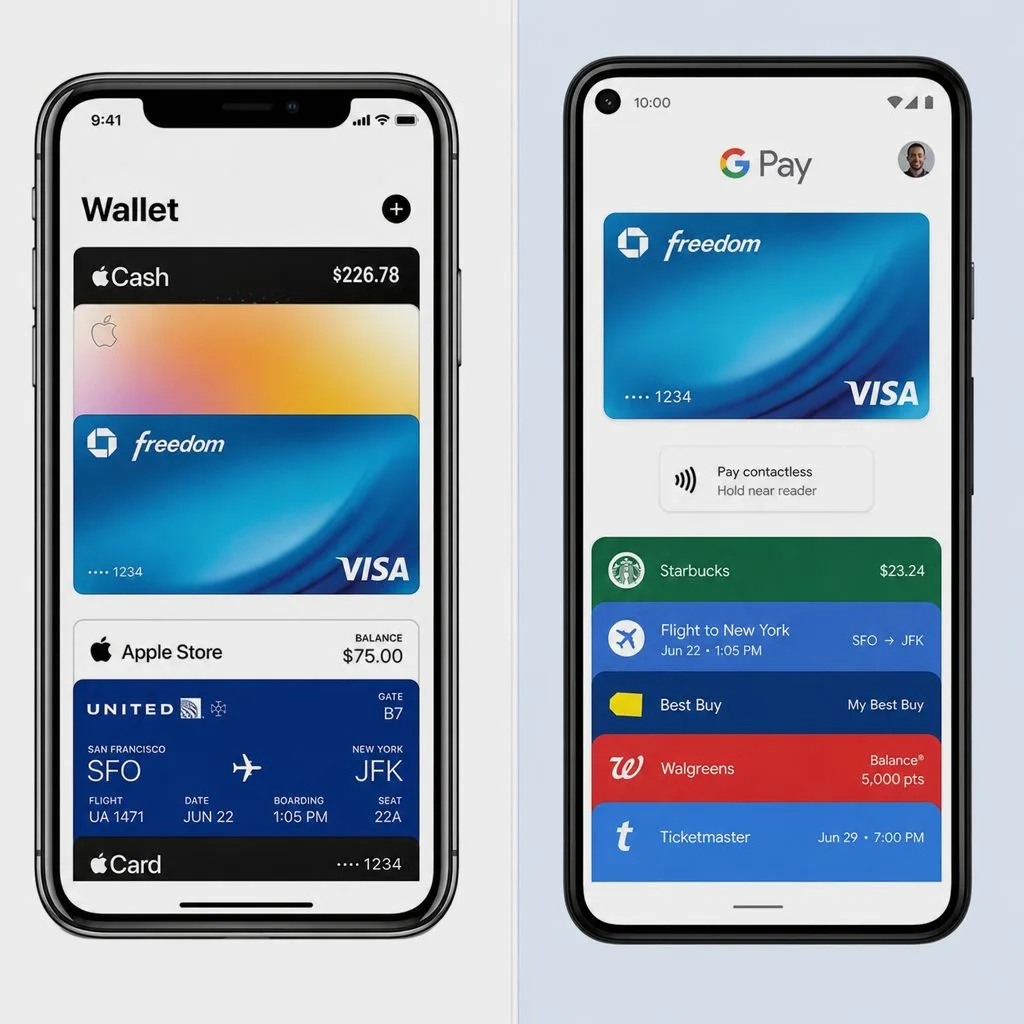
Not directly — Android phones use Google Wallet. Kemicard solves this automatically: one template issues both an Apple Wallet pass and a Google Wallet pass, and the single add-to-wallet link detects the device and serves the right format.
Each wallet is native to its own platform, which is why Kemicard issues both formats from one template. Your member just taps one link: iPhones get Add to Apple Wallet, Android phones get Save to Google Wallet.
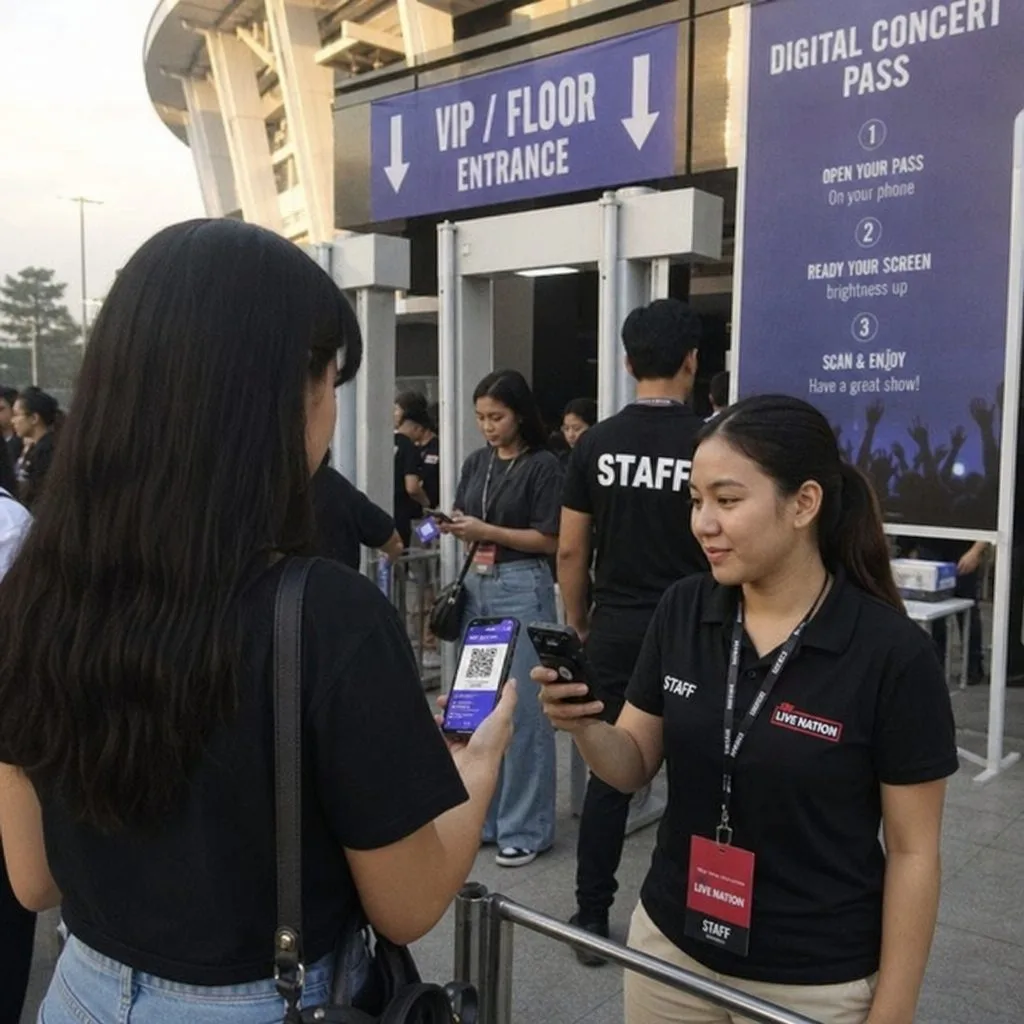
Yes. Kemicard templates support QR codes and PDF417 barcodes on both Apple Wallet and Google Wallet passes, populated dynamically from any Salesforce field — member IDs, ticket numbers, or check-in URLs — and scannable with the built-in Kemicard Scanner.
Yes. A wallet business card is just a pass driven by a Contact or User record: name, title, phone, and a QR code that shares your details on scan. Organizations use Kemicard for staff ID and digital business cards in Apple Wallet and Google Wallet alongside membership and event passes.
Salesforce is Kemicard's home and our preferred CRM platform — the managed package, Kemicard Studio, and Flow automation are Salesforce-native. But the Kemicard Server sits outside Salesforce and exposes standard RESTful APIs, so any third-party platform or custom system can integrate with it directly to generate and manage wallet passes.
In layers. First, templates can be configured so Apple Wallet and Google Wallet block their built-in share options. Second — since Apple syncs passes across devices on the same iCloud account — Kemicard adds a proprietary multi-device detection that visually changes a card installed on multiple devices, and the Scanner flags it at the door. For high-value cards, we can also custom-build download-link policies: the add-to-wallet URL invalidates after one download, a set number of downloads, or outside a date range.
Whoever suits you: your internal Salesforce admin (guided by our Installation Guide and Getting Started walkthrough), any of our SI partners, or the Kemisoft Professional Services team, which has implemented Kemicard on every Salesforce Cloud — Sales, Service, Experience, Nonprofit, Education, and Marketing Cloud.
The Scanner is a managed Lightning Web Component you add to any Salesforce or Experience Cloud page layout. Staff scan from a desktop or iPad logged into Salesforce, from the Salesforce mobile app on a phone, or through your Experience Cloud portal. The Scanner itself needs no extra license — the scanning user needs Salesforce or Community access plus an assigned Kemicard license, and organizations with many scanning users can opt for an org-wide Kemicard license instead of user-based licensing.
Still have questions? Contact us or book a demo.